Studying in the Age of ChatGPT
How I study for my exams, what tools I use and how I utilize AI
Studying for exams is pretty much always a hassle. The internet is full of articles about how the human brain learns best, and there are plenty of experts who dedicate their work to this topic. I'm definitely not one of them and haven't spent much time thinking about it, but after a few years at university I've figured out what works best for me when it comes to preparing for exams.
Cloud
For each course, I create a folder in the university's cloud storage. That way, my study files are automatically synced between my laptop and my phone.
Lecture Slides and Notes
Even though I usually keep up with the material during the semester, by the end of lecture season I almost always need to go through all the slides again and really understand them. In my program, the slides are usually available as PDFs. Of course, it would make sense to review each lecture as I go and understand all the details right away, but often key information only comes in later lectures, and sometimes it only becomes clear at the very end what the point of the course really is.
Markdown and VS Code
I do almost all of this digitally: I download the slides, open the course folder in VS Code, and keep the slides open on the right side of the screen while taking notes in a Markdown file on the left side.
I find Markdown especially useful because, unlike Word or LaTeX, you don't have to worry much about formatting. You can insert math formulas with LaTeX snippets, and images can be added easily without breaking the document.
I use VS Code because it has good support for writing in Markdown and offers a live preview. It also lets me open the PDFs directly in the editor. When I reopen the folder after restarting, the same files and layout are restored, and the PDF even jumps back to the correct page.
Screenshots
Lecture slides often include important diagrams or graphics that I want in my notes but that aren't worth redrawing or describing in detail. In those cases, I just take a screenshot and paste it into the Markdown file. I like using built-in tools or something like Greenshot, which lets you select a screen area and copies it directly to the clipboard. That way, I just hit the “PRINT” key, select the diagram, and paste it with “CTRL+V.” It's super quick.
That said, I try not to rely only on screenshots. Writing out my own thoughts or typing formulas helps me remember the content better.
ChatGPT and Copilot
Everyone knows by now how good LLMs like ChatGPT and Deepseek have become. If I have follow-up questions about a lecture or a slide is completely unclear and lacking context, ChatGPT is often really helpful. It's also convenient that I can just paste screenshots or copy formulas from my notes into the chat.
GitHub Copilot is integrated into VS Code and also works with Markdown, so it can complete sentences or formulas, and it can even be used for questions, just like ChatGPT in the browser. The big advantage: it's free with the GitHub Student Package. But I'd be careful with autocomplete, because it can tempt you to stop thinking critically or accidentally accept wrong formulas. For that reason, I usually disable it.
MDFusion
Since I create one Markdown file per lecture, I end up with quite a few by exam time. In the days leading up to an exam, I want to review my notes, but it's annoying to click through dozens of files and to only be able to read them on my computer, since not every device natively supports Markdown.
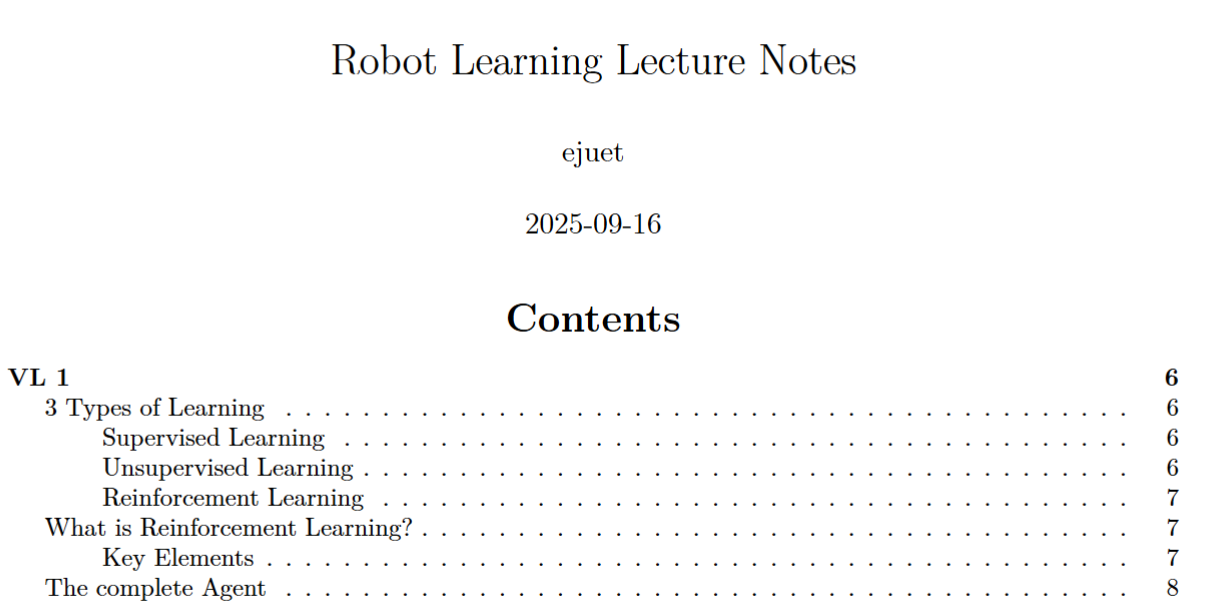
To solve this, I built MDFusion: a small Python module that collects all Markdown files in a folder structure, merges them, and exports them as a PDF. You can install it via pip. It supports lots of customization through command-line arguments or a config file. The source code is on GitHub, and I explained it in more detail in this blog post.
The result is a nice LaTeX PDF with an automatically generated table of contents that's easy to share and that I read through several times before the exam, first carefully, then just skimming for an overview. The one downside: depending on the course, the summary can get extremely long, and having to read half a book right before an exam feels almost physically painful.
Exercise Sheets and Past Exams
Usually, not only the lecture content but also the exercise sheets from the semester are exam-relevant. Often there are also past exams I want to practice with. For both, I use the same Markdown-and-MDFusion setup, so in the end I have two more PDFs with all the exercises and past exams, which I can go through while revising. It's also worth copying the full problem statements into the Markdown files, so I can skim them more easily later.
Memorization
Most exams in my program are designed so that you have to understand the material, answer questions about it, and solve problems. The content and formulas I do need to memorize usually stick with me while reviewing the PDFs, so this system is enough for me.
For courses that require a lot of rote memorization, though, this method isn't ideal. In those cases, I've used Anki, which lets you create digital flashcards and quizzes you on them.
Xournal++
My laptop is actually a convertible with stylus support, so I could be handwriting notes. I like using Xournal++, which lets you annotate PDFs directly. But since my touchscreen broke, I realized I'm much faster typing my notes in Markdown anyway, rather than writing them out by hand.
Conclusion
This system isn't a one-size-fits-all solution, but it's worked reliably for me. Having a clear structure where notes, exercises, and past exams are well organized and easy to find, has proven very useful to me personally.
Comments
Feel free to leave your opinion or questions in the comment section below.