mdfusion
Ein Python-Modul zum Mergen und Exportieren von Markdown-Dateien. Verfügbar für pip.
Wenn ich für Prüfungen lerne, sammeln sich oft viele Markdown-Dateien in einer Ordnerhierarchie an. Zum Wiederholen der Inhalte ist es dann praktisch, diese Dateien in einem gut lesbaren Format in einer einzigen Datei zusammenzuführen.
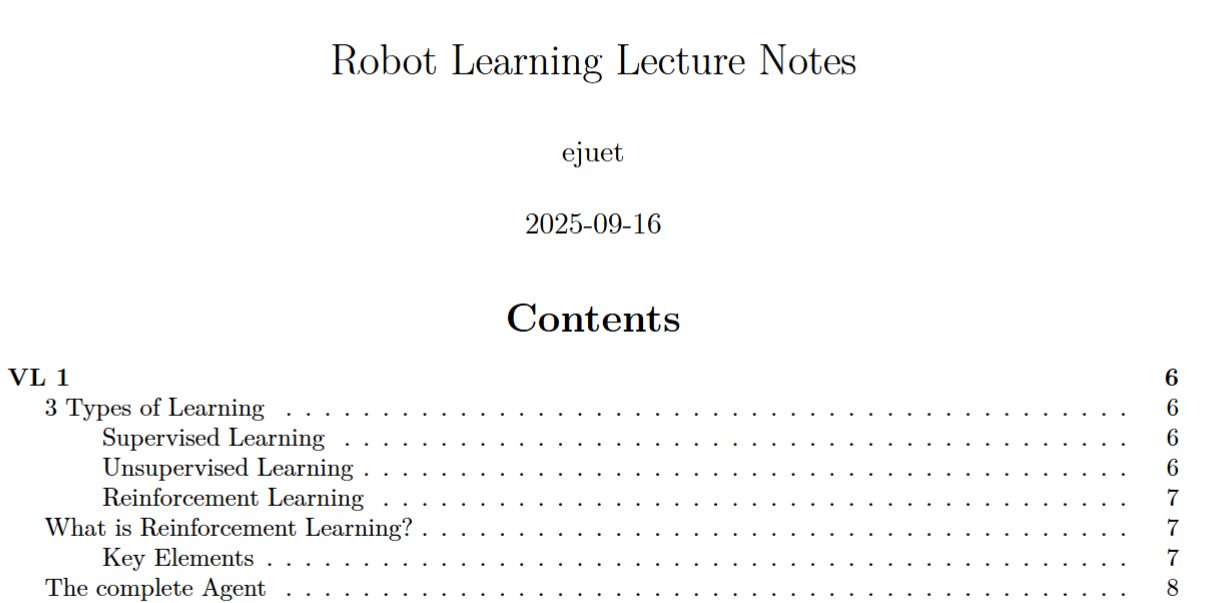
Als ich nach einem Tool gesucht habe, das genau das macht, habe ich nichts gefunden, was in einem Schritt die Dateien zusammenführt und in eine PDF- oder HTML-Datei exportiert. Also habe ich ein kleines Python-Modul geschrieben, das genau das mithilfe von Pandoc macht. Da vielleicht auch andere Leute einen Nutzen dafür haben könnten, habe ich mich entschieden, es auf GitHub und PyPI zu veröffentlichen.
Darüber hinaus habe ich eine Funktion zum Exportieren der zusammengeführten Markdown-Datei in eine Powerpoint-ähnliche Präsentation hinzugefügt. Dafür nutze ich die native Unterstützung von Pandoc für das reveal.js-Framework. Die Präsentation kann dann in einem Webbrowser angesehen oder mit der Python-Bibliothek Playwright in eine PDF-Datei exportiert werden. Das fand ich praktisch, falls ich mal sehr schnell eine Präsentation vorbereiten muss.
Der Code ist auf GitHub verfügbar und auf PyPI zu finden.
Setup des Projekts
Auch wenn es sich um ein kleines Projekt handelt, manage ich es in einem git-Repository mit
- pytest für Unit-Tests
- pythons build-Modul und twine zum Hochladen des Pakets auf PyPI
- black für Code Formatting, wenn eine Datei in VSCode gespeichert wird
Dokumentation
mdfusion
Merge all Markdown files in a directory tree into a single PDF or HTML presentation with formatting via Pandoc + XeLaTeX.
Features
- Recursively collects and sorts all
.mdfiles under a directory (natural sort order) - Merges them into one document, rewriting image links to absolute paths (so images with the same name in different folders don't collide)
- Optionally adds a title page with configurable title, author, and date
- Can render the title page as its own centered page with a page break after it
- Supports both PDF (via Pandoc + XeLaTeX) and HTML presentations (via reveal.js)
- Customizes output with your own LaTeX or HTML headers/footers
- Configurable via TOML for repeatable builds (great for books, reports, or slides)
- Bundles HTML presentations with all assets for easy sharing
Installation
Requirements
For HTML presentations and PDF export from HTML, you may want to install:
- Playwright (for HTML→PDF conversion) via
pip install playwrightand thenplaywright install
pandoc is provided through the Python dependency pypandoc_binary, so you do not need a separate global Pandoc installation.
Install via pip
pip install mdfusion
Install from source
git clone https://github.com/ejuet/mdfusion.git
cd mdfusion
pip install .
Usage
mdfusion [OPTIONS]
You can also pass extra Pandoc arguments at the end of the command; any unknown flags are forwarded to Pandoc.
Common options
--root_dir DIRRoot directory for Markdown files (default: current directory, or config file directory)--output FILEOutput filename (default:<root_dir>.pdfor.htmlfor presentations)--tocInclude table of contents (use--notocto disable)--page_break_after_tocInsert a page break after the table of contents in PDF output (default: false)--title_pageInclude a title page (PDF only)--separate_title_pagePut the title page on its own centered page (default: true; use--noseparate_title_pageto disable)--title TITLESet title for title page (default: directory name)--subtitle TEXTSet an optional subtitle for the title page--title_page_image PATH_OR_URLAdd an optional local image or remote image URL to the title page--author AUTHORSet author for title page (default: OS user)--document_date TEXTSet the date text shown in metadata/title page (default: current date)--date_format FORMATstrftimeformat used when--document_dateis omitted (default:%d.%m.%Y)--pandoc_args ARGSExtra Pandoc arguments (whitespace-separated)--config_path FILEPath to amdfusion.tomlconfig file (default:mdfusion.tomlin the current directory)--header_tex PATHCustom LaTeX header to include (defaults to./header.texif present)--merged_md DIRWrite merged Markdown to this directory (uses a temp dir by default)--exclude PATHSWhitespace-separated files, directories, or glob patterns to skip while merging--remove_alt_texts TXTComma-separated list of image alt texts to strip (default:alt text)--verboseEnable verbose Pandoc output
Presentation options
--presentationOutput as a reveal.js HTML presentation (also converts to PDF)--generate_handoutAfter building a presentation, also build a non-presentation PDF handout (default: true; use--nogenerate_handoutto disable)--footer_text TEXTCustom footer for presentations--animate_all_linesAdd reveal.js fragment animation to each line--chromium_path PATHPath to Chromium for HTML→PDF conversion (default:/usr/bin/chromium)
Example: Merge docs/ into a PDF with a title page
mdfusion --root_dir docs --title_page --title "My Book" --author "Jane Doe"
Example: Create a reveal.js HTML presentation
mdfusion --root_dir slides --presentation --title "My Talk" --author "Speaker" --footer_text "My Conference 2025"
Configuration file
You can create a mdfusion.toml file in your project directory to avoid long command lines. The [mdfusion] section supports all the same options as the CLI. Presentation-only settings live under [presentation] (these can also remain under [mdfusion] for backward compatibility).
Example: Normal document (PDF)
[mdfusion]
root_dir = "docs"
output = "my-book.pdf"
toc = true
page_break_after_toc = false
title_page = true
separate_title_page = true
title = "My Book"
subtitle = "Working Draft"
title_page_image = "https://example.com/cover.png"
author = "Jane Doe"
date_format = "%d.%m.%Y"
pandoc_args = ["--number-sections", "--slide-level", "2", "--toc-depth", "4"]
exclude = ["drafts", "appendix/private.md", "notes/*.md"]
# header_tex = "header.tex"  # Optional: custom LaTeX header
Example: Presentation (HTML via reveal.js)
[mdfusion]
root_dir = "slides"
output = "my-presentation.html"
title = "My Talk"
author = "Speaker"
pandoc_args = ["--slide-level", "6", "--number-sections", "-V", "transition=fade", "-c", "custom.css"]
# You can add more reveal.js or pandoc options as needed with ["-V", "option=value"]

[presentation]
presentation = true
generate_handout = true
footer_text = "My Presentation 2025"
animate_all_lines = false
# chromium_path = "/usr/bin/chromium"
Then just run:
mdfusion
How it works
- Finds and sorts all Markdown files under the root directory (natural order)
- Merges them into one file, rewriting image links to absolute paths
- Optionally adds title/author/date metadata and a dedicated title page
- Calls Pandoc with XeLaTeX (for PDF) or reveal.js (for HTML presentations)
- Optionally bundles HTML output with all assets for easy sharing
Testing
Run all tests with:
pytest
Author
Kommentare
Noch Fragen?