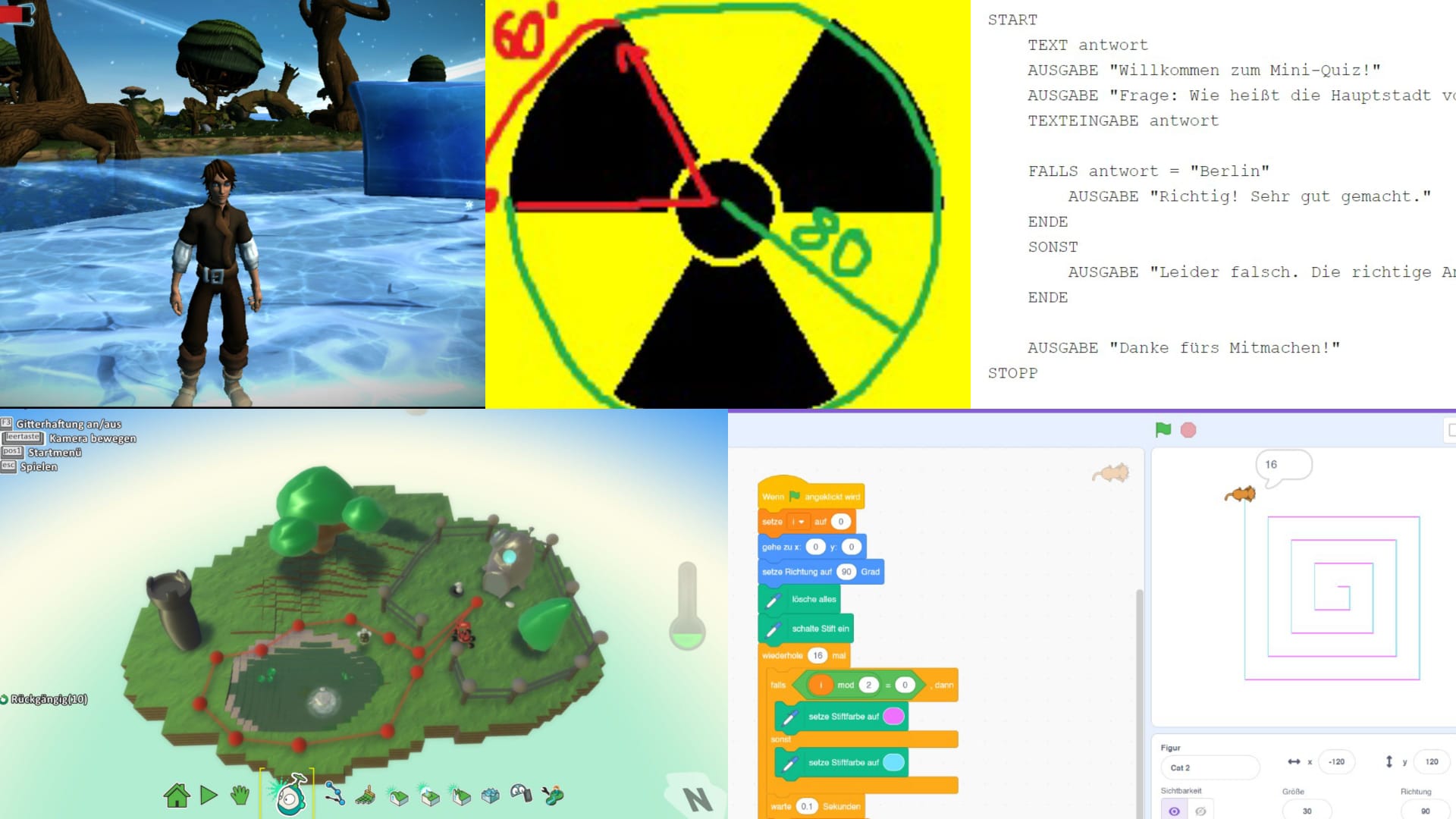
Programming Resources for Kids
A list of programming resources and tools that I used to learn programming as a kid.
As a child, I was already able to gain my first experiences with programming. I started with the children’s programming language ProLern, where I wrote my own small programs and learned the basic concepts of coding. Later, I also used Scratch, MIT App Inventor, Kodu, Project Spark, Robot Karol, and Python’s turtle module, all of which I can recommend as beginner-friendly tools for kids.
ProLern
ProLern is a German programming language and development environment created specifically for children. It has a simple, imperative structure reminiscent of Basic. The syntax is very straightforward, with commands like "AUSGABE" (output), "EINGABE" (input), simple loops ("WIEDERHOLE", "SOLANGE"), conditions ("FALLS", "SONST"), placeholders, and so on. You begin with basic building blocks such as numbers, text, and input/output in a terminal window.
ProLern helped me a lot in understanding the fundamental concepts of programming. Compared to newer tools like Scratch, Kodu, or Project Spark, however, it feels somewhat outdated and might seem a little dry for children today.
Example
A simple program that implements a small quiz looks like this:
START
    TEXT antwort
    AUSGABE "Willkommen zum Mini-Quiz!"
    AUSGABE "Frage: Wie heißt die Hauptstadt von Deutschland?"
    TEXTEINGABE antwort

    FALLS antwort = "Berlin"
        AUSGABE "Richtig! Sehr gut gemacht."
    ENDE
    SONST
        AUSGABE "Leider falsch. Die richtige Antwort ist: Berlin."
    ENDE

    AUSGABE "Danke fürs Mitmachen!"
STOPP
Scratch
Scratch is a block-based visual programming language designed for children. Developed by a nonprofit at MIT, it’s free to use. Despite its simplicity, Scratch can be used to create surprisingly complex programs, since it supports key concepts like loops, conditions, and variables.
Example
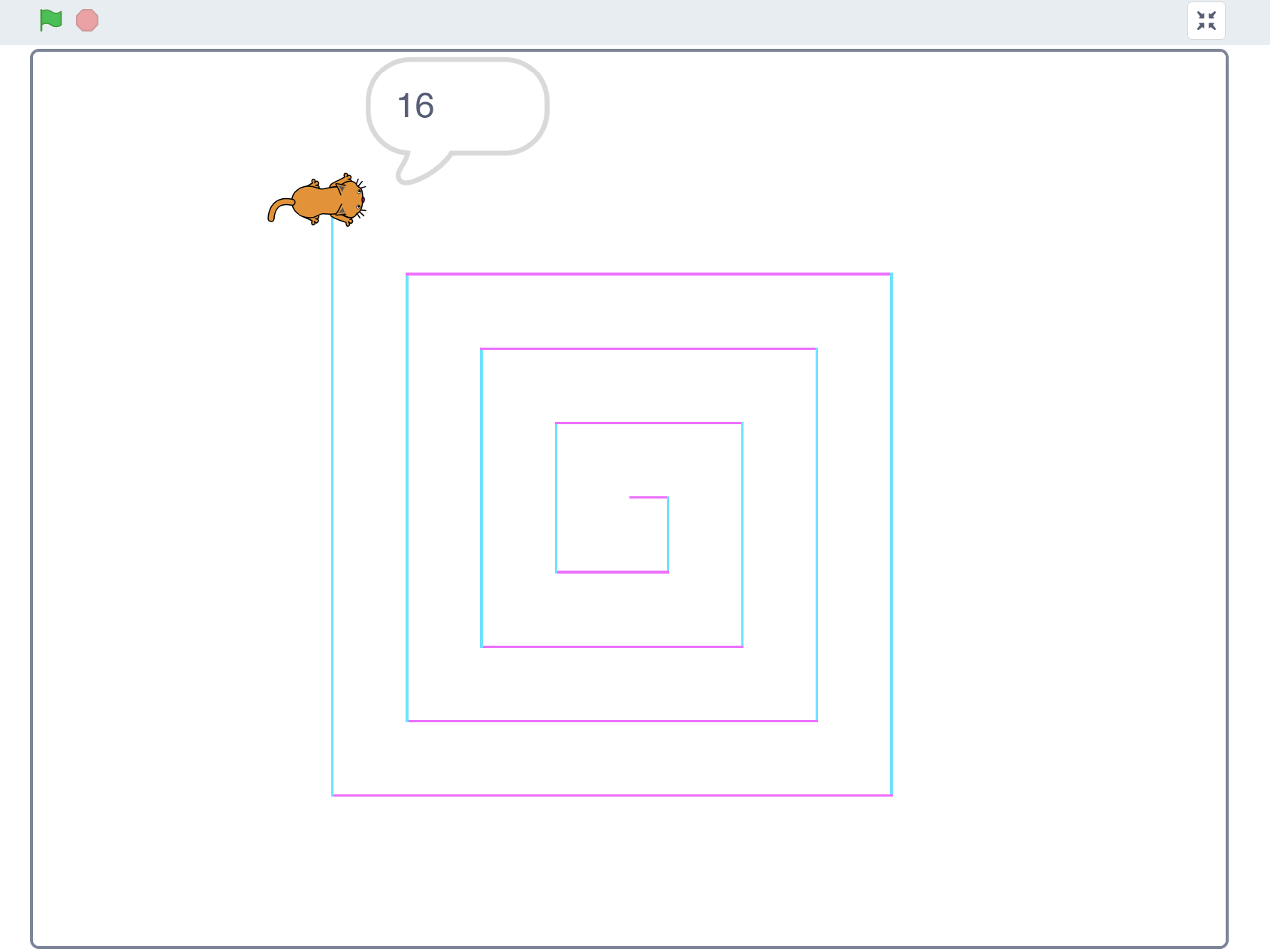
A simple program that makes a cat draw a spiral looks like this: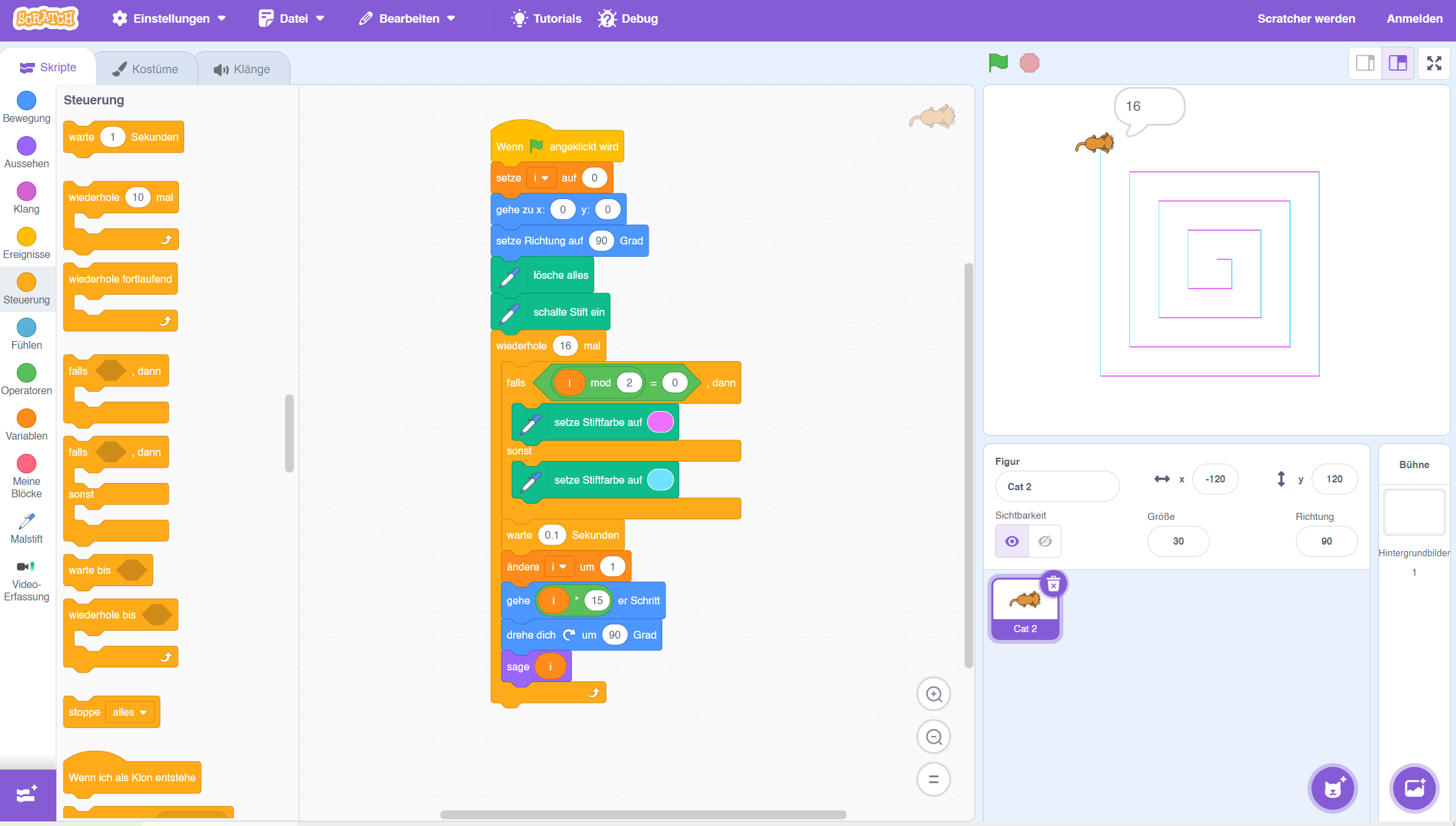
Kodu
Kodu is a visual programming language from Microsoft designed for children to create their own games. It offers an intuitive interface that lets kids design 3D games by defining characters, landscapes, and rules.
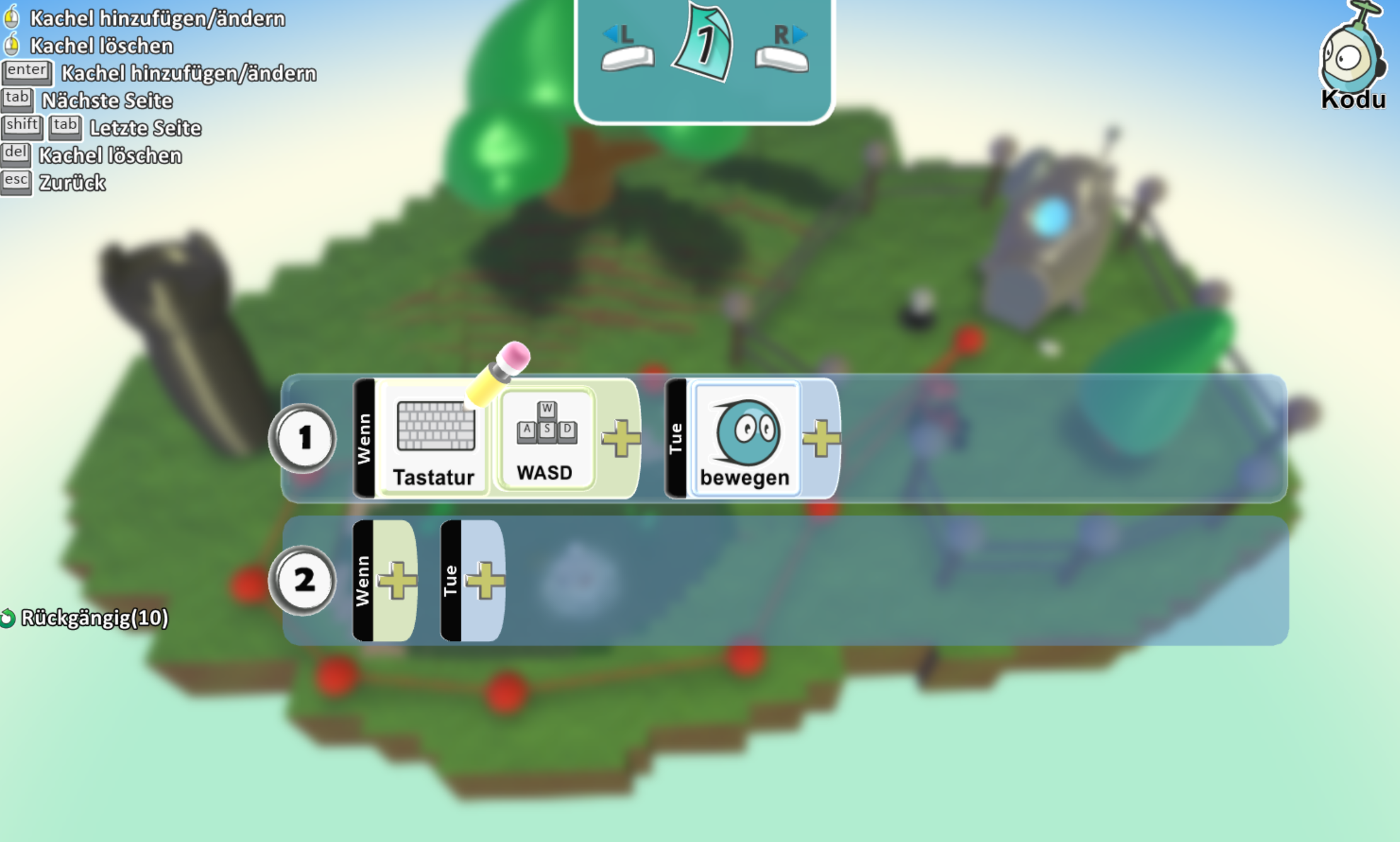
Unlike ProLern or Scratch, its control structures are more limited. You program objects by assigning them rules that always follow the structure: "WHEN condition DO action". This makes complex programs hard to build, but it’s more than enough for simple games. The focus here is more on creative game-making than coding itself, though basic programming structures are still taught along the way. It feels much more playful than the other tools, and even if it’s not as deep, it motivated me to dive further into programming.
Example
The Kodu editor looks like this: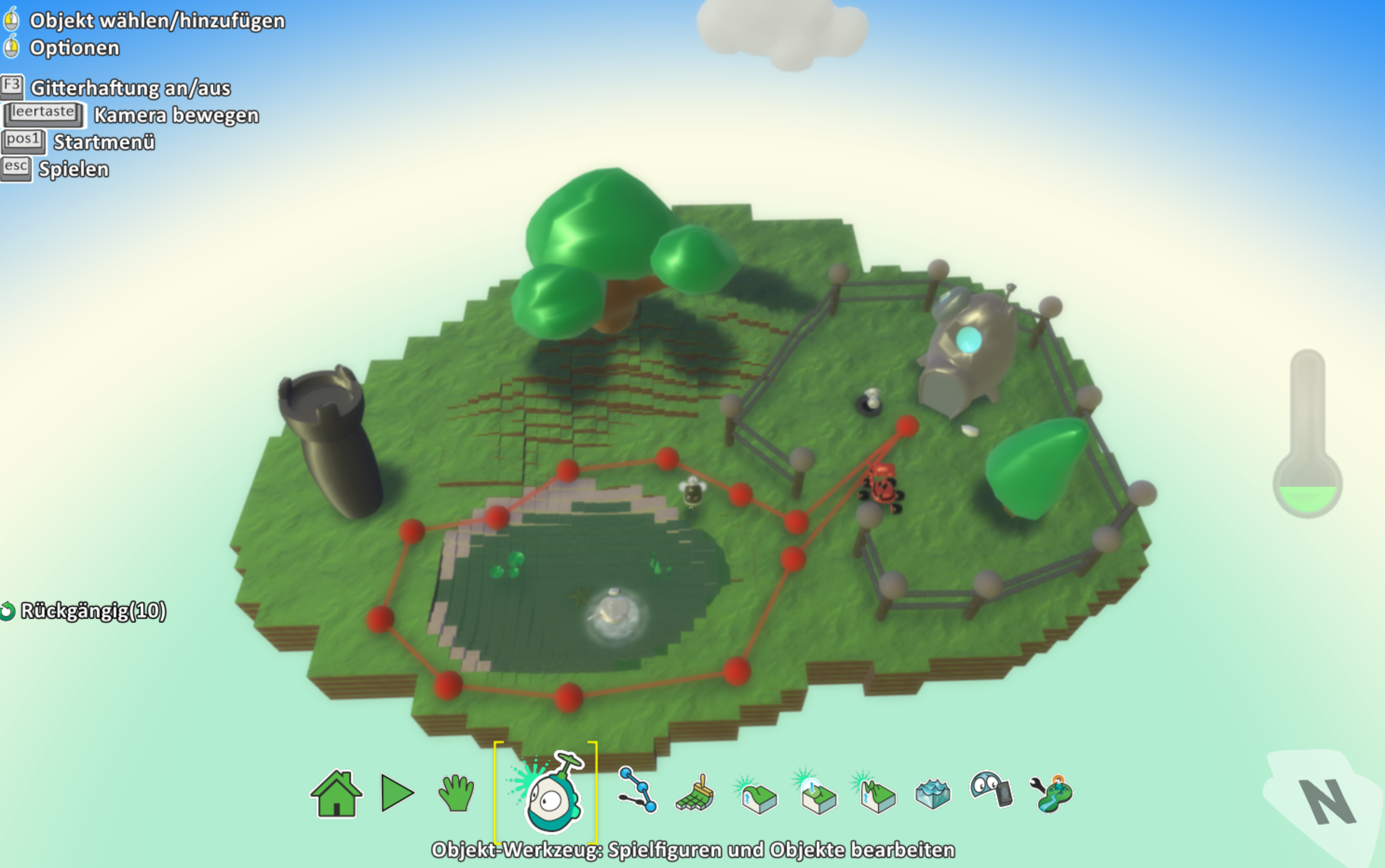 Characters can be programmed to move with WASD controls:
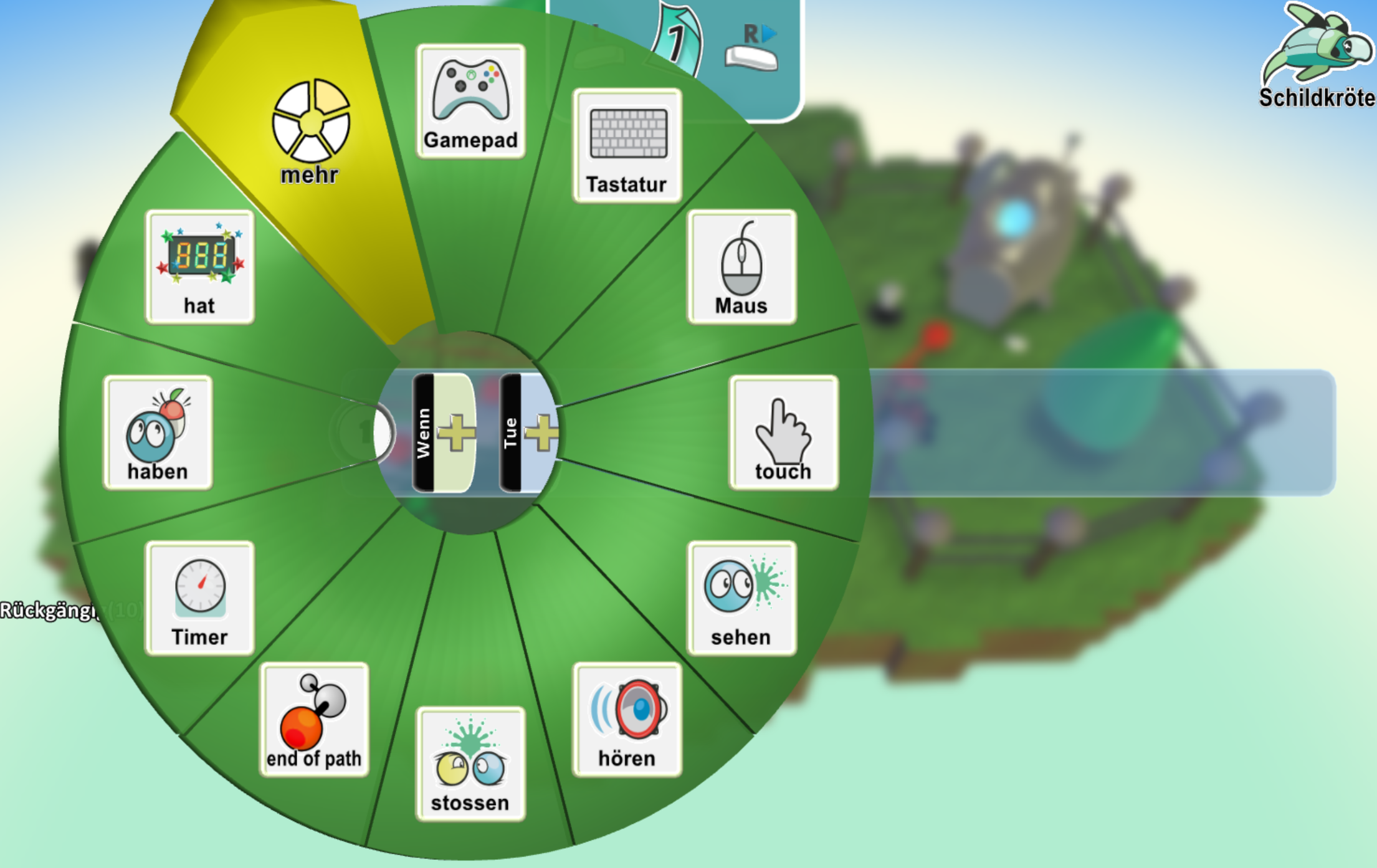
 To do this, you simply select the right blocks from the WHEN menu
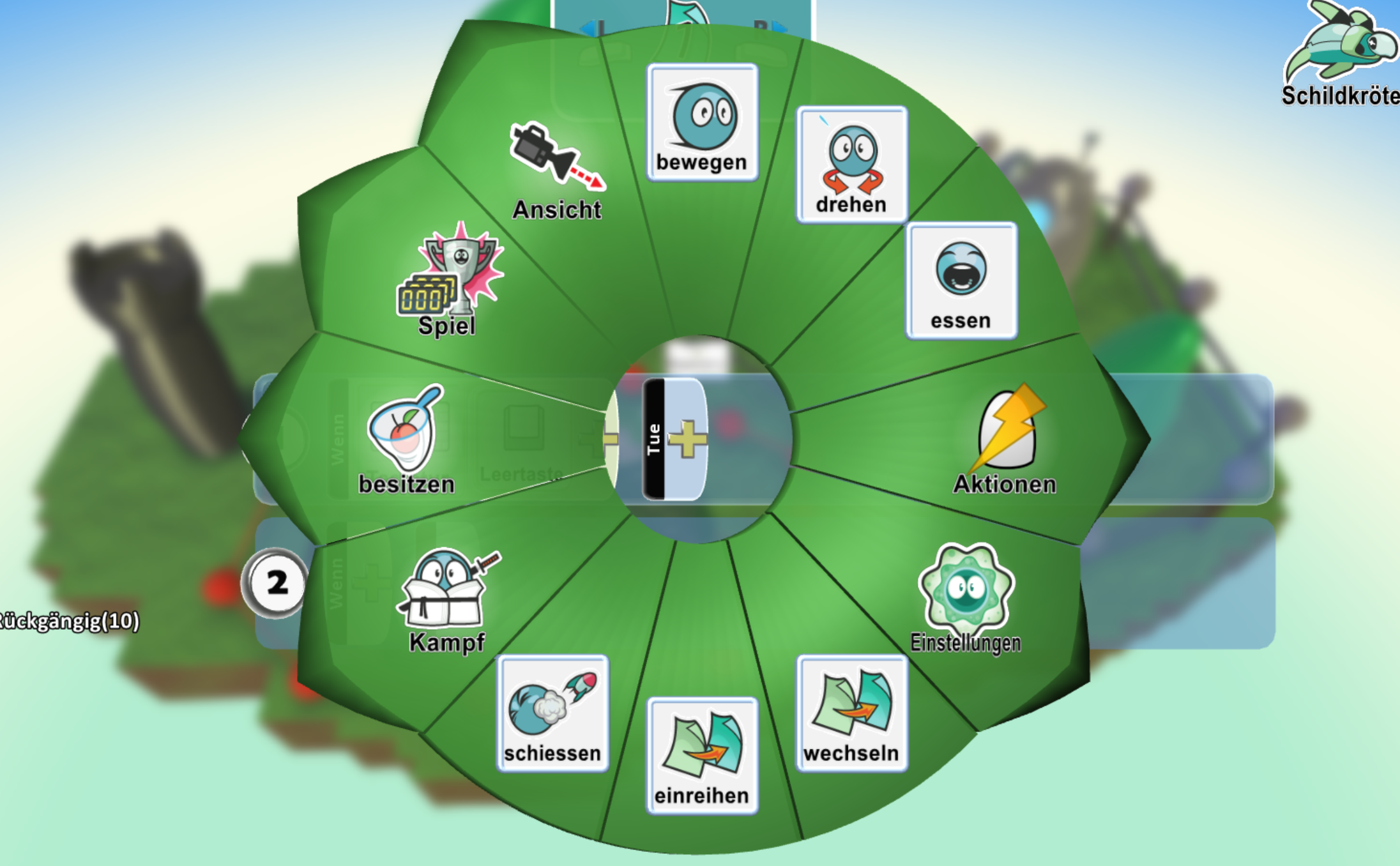
 and the DO menu
 and combine them. A finished game might look like this: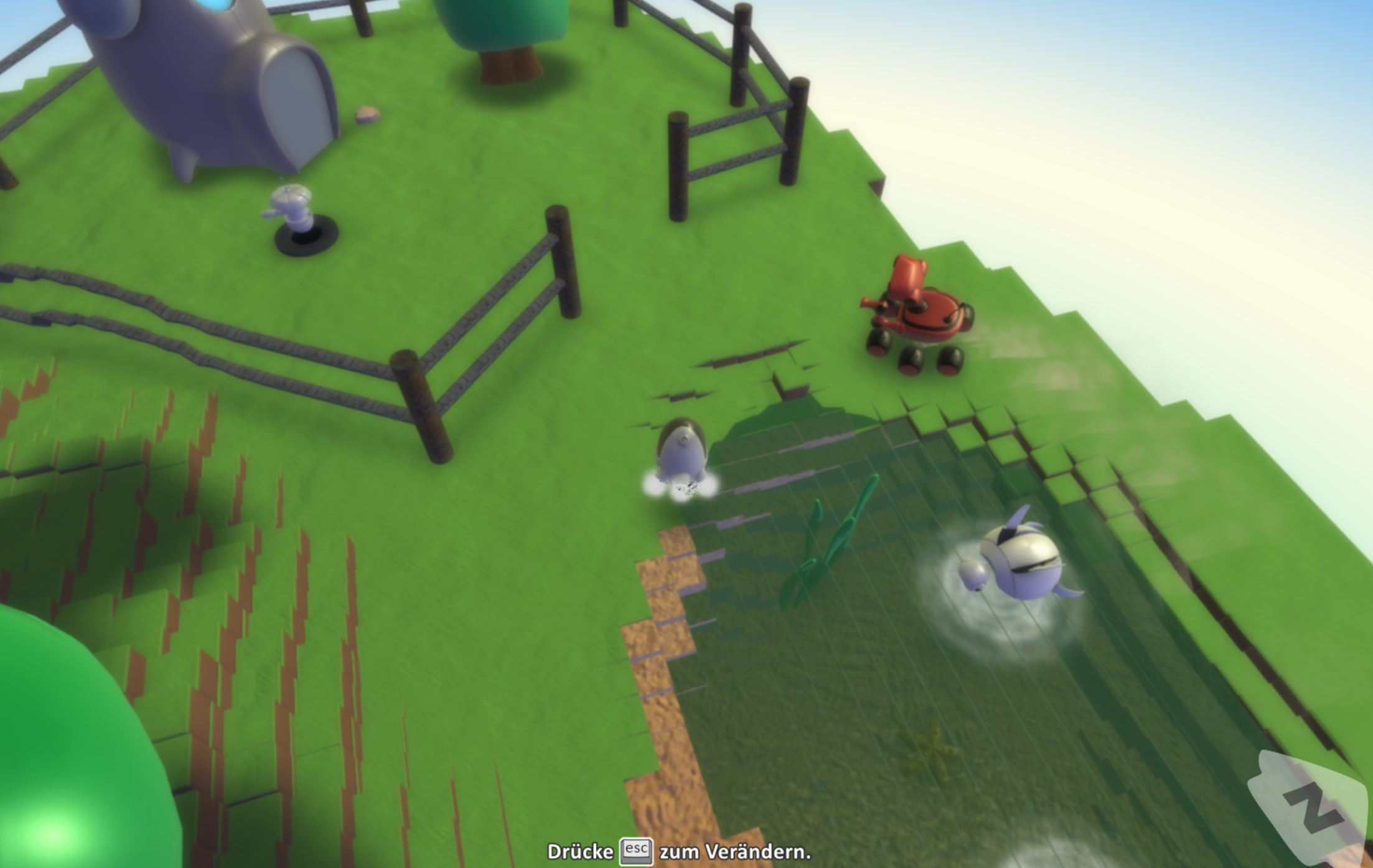
Project Spark
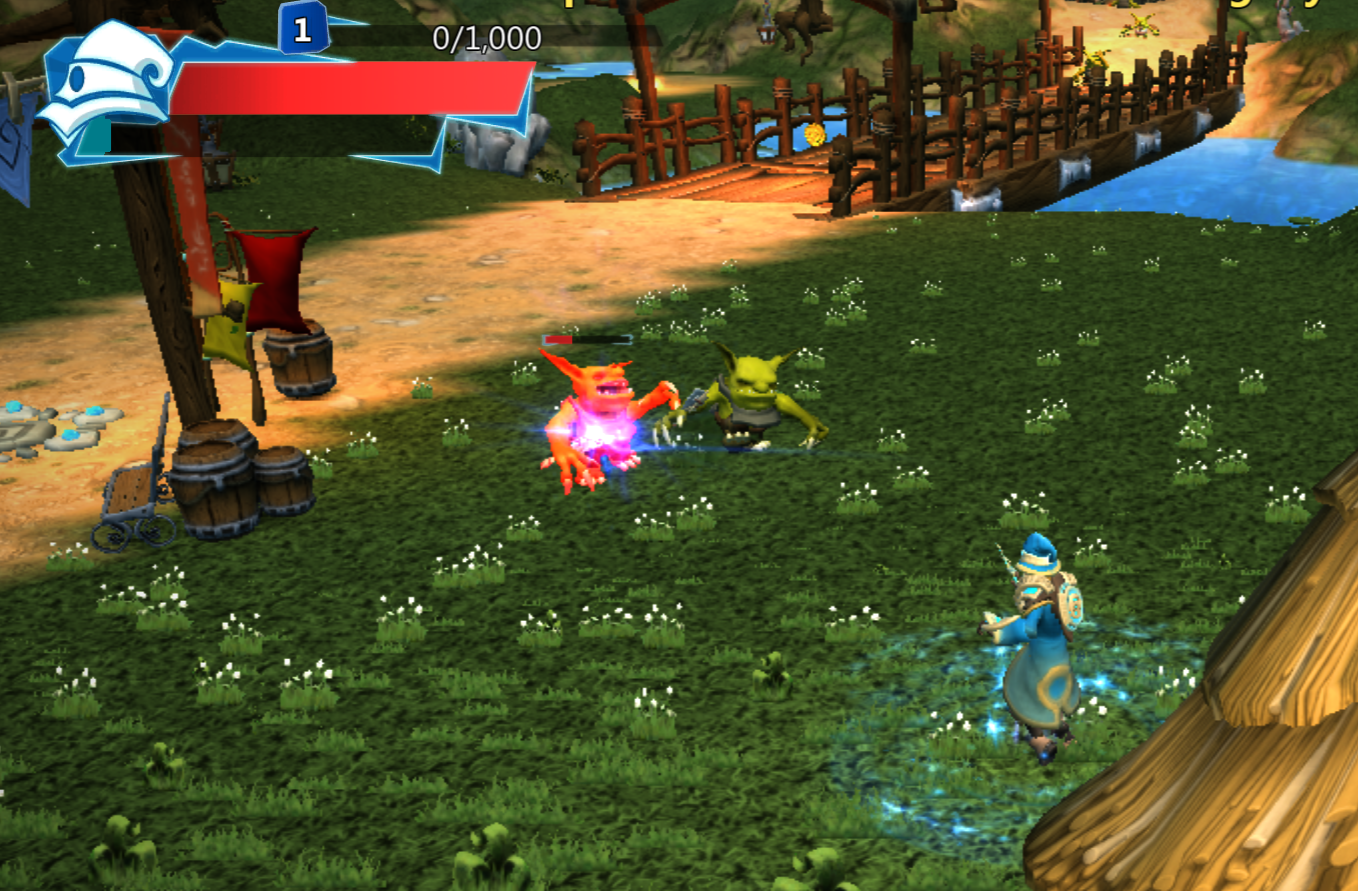
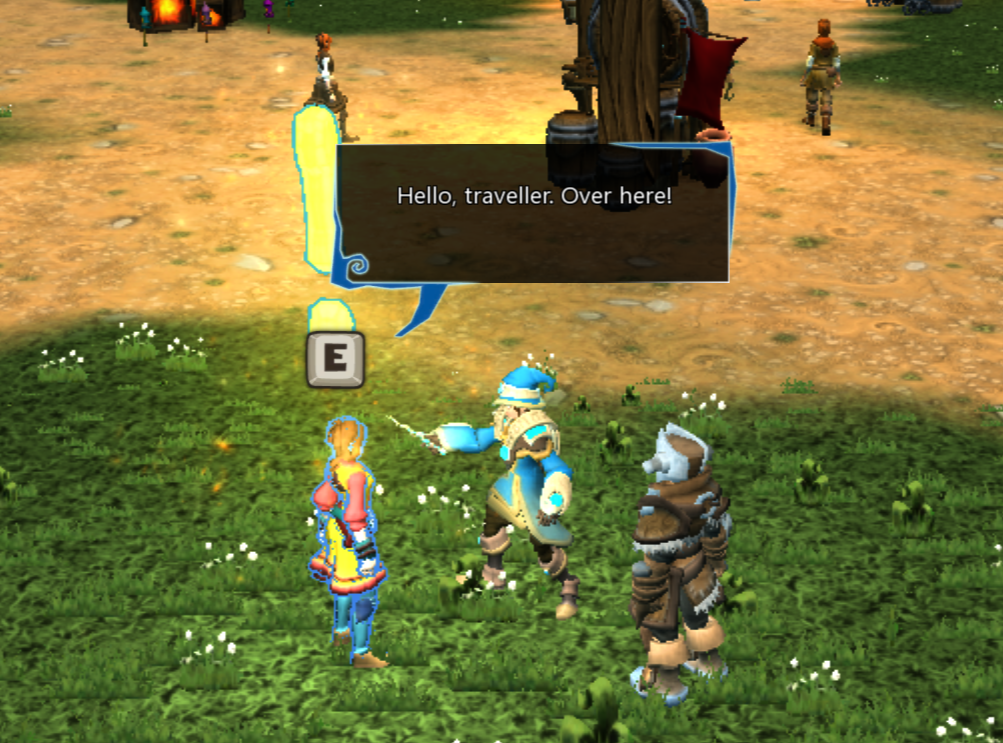
Project Spark was a game and game engine by Microsoft that allowed users to create and share their own games and worlds. It’s similar to Kodu but with far greater possibilities and more complex mechanics. When it came out, I already had some experience with real programming languages and had grown a bit bored of Kodu, so Project Spark was perfect for me. Even later, when I was writing code in “proper” languages, I often came back to Project Spark because it was so much fun and let you implement surprisingly advanced ideas.
Unfortunately, Project Spark was discontinued in 2016 and is no longer officially available. Physical copies still work, and there are ways to download the digital version, though those may be legally questionable, so I won’t go into detail here.
You could implement fairly complex mechanics like inventories, crafting, combat, dialogues, and much more.
Example
Here’s an old game I created back then. The player character looked like this: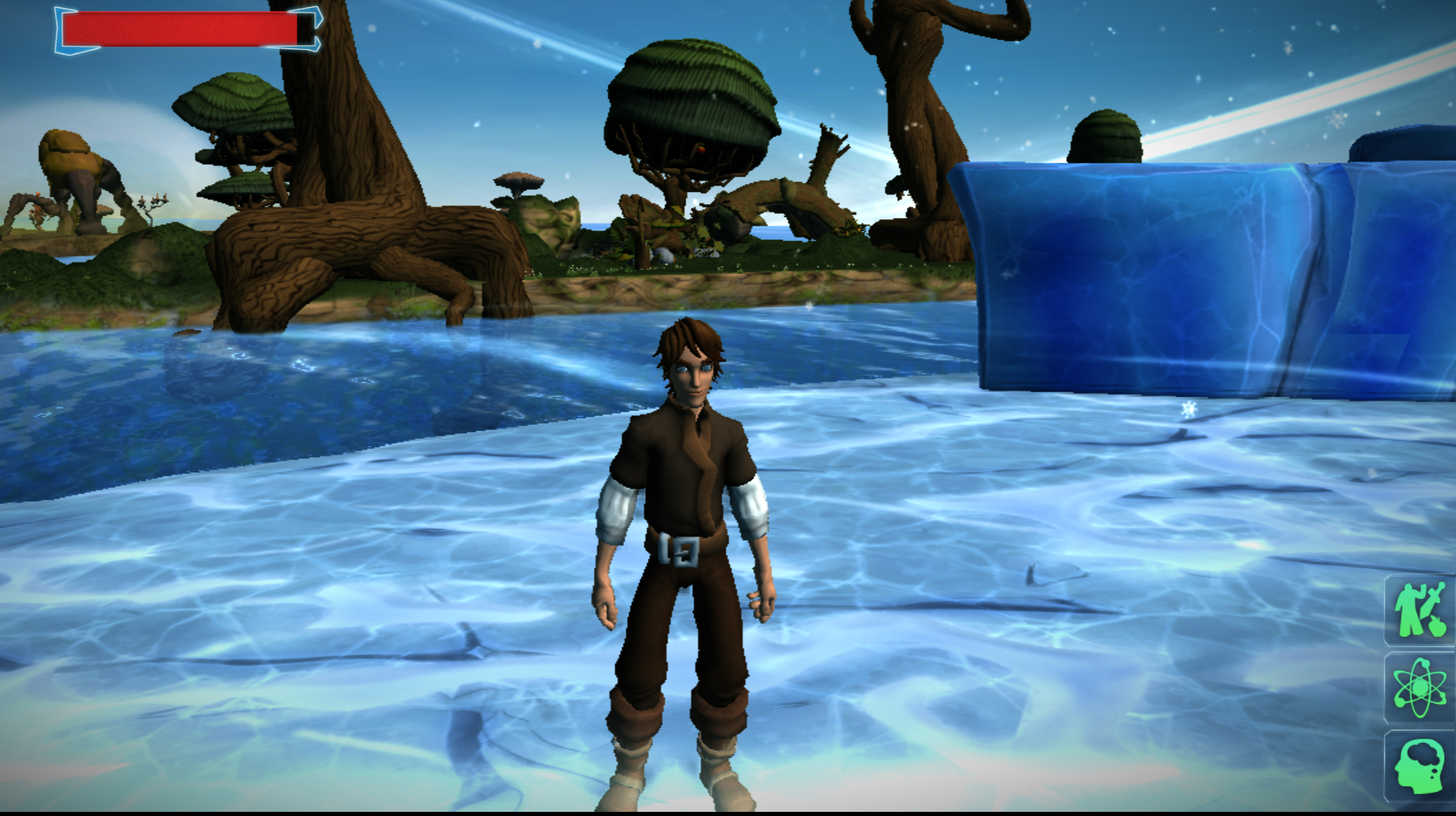 The world in the editor looked like this: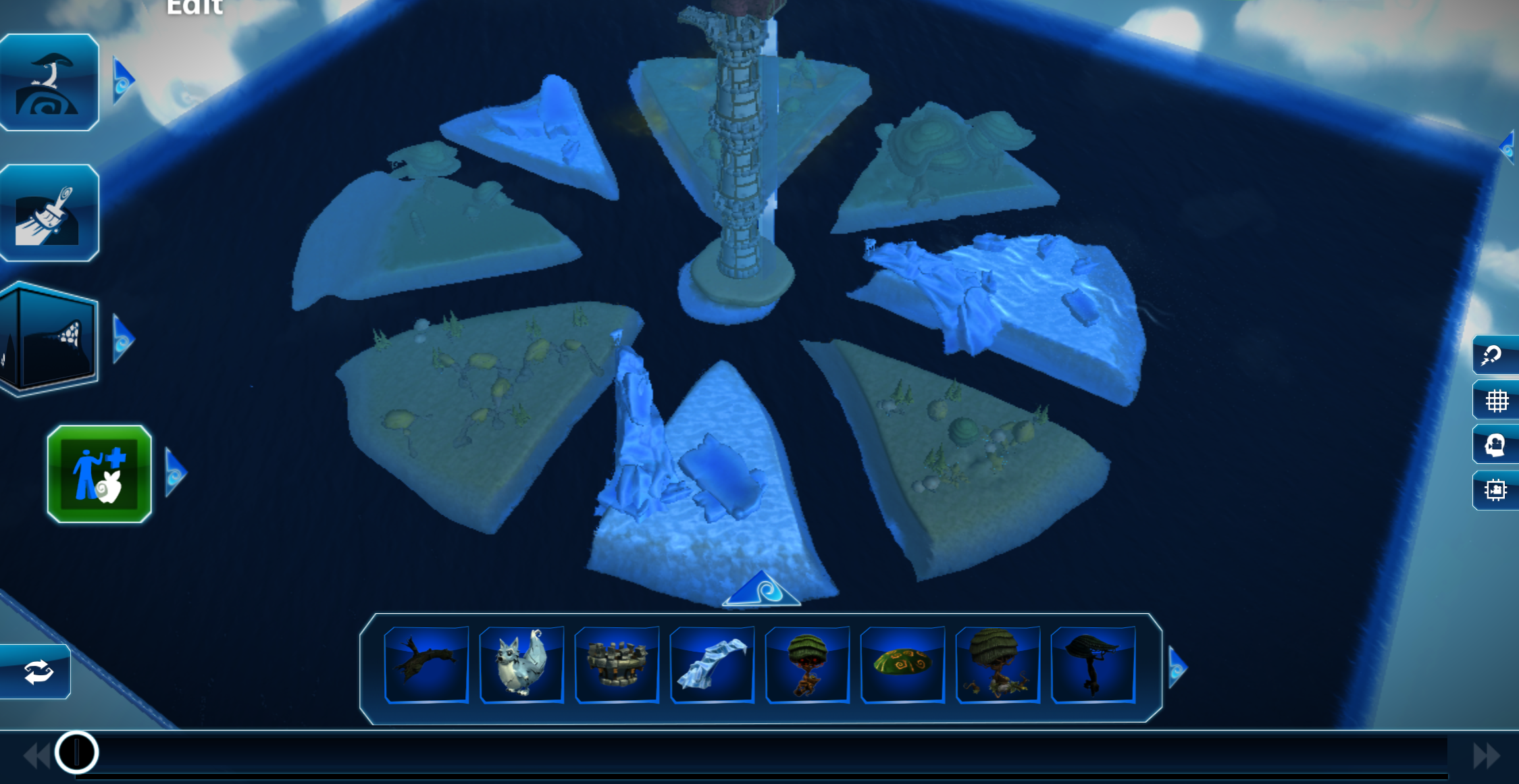
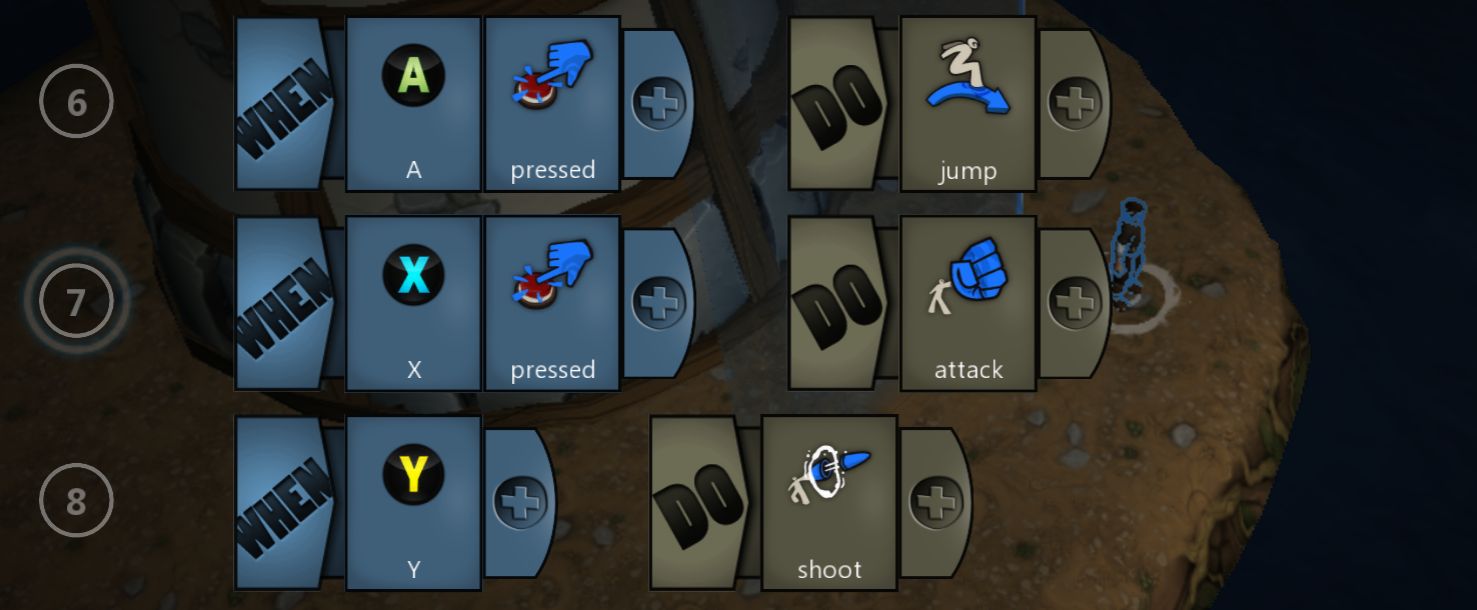
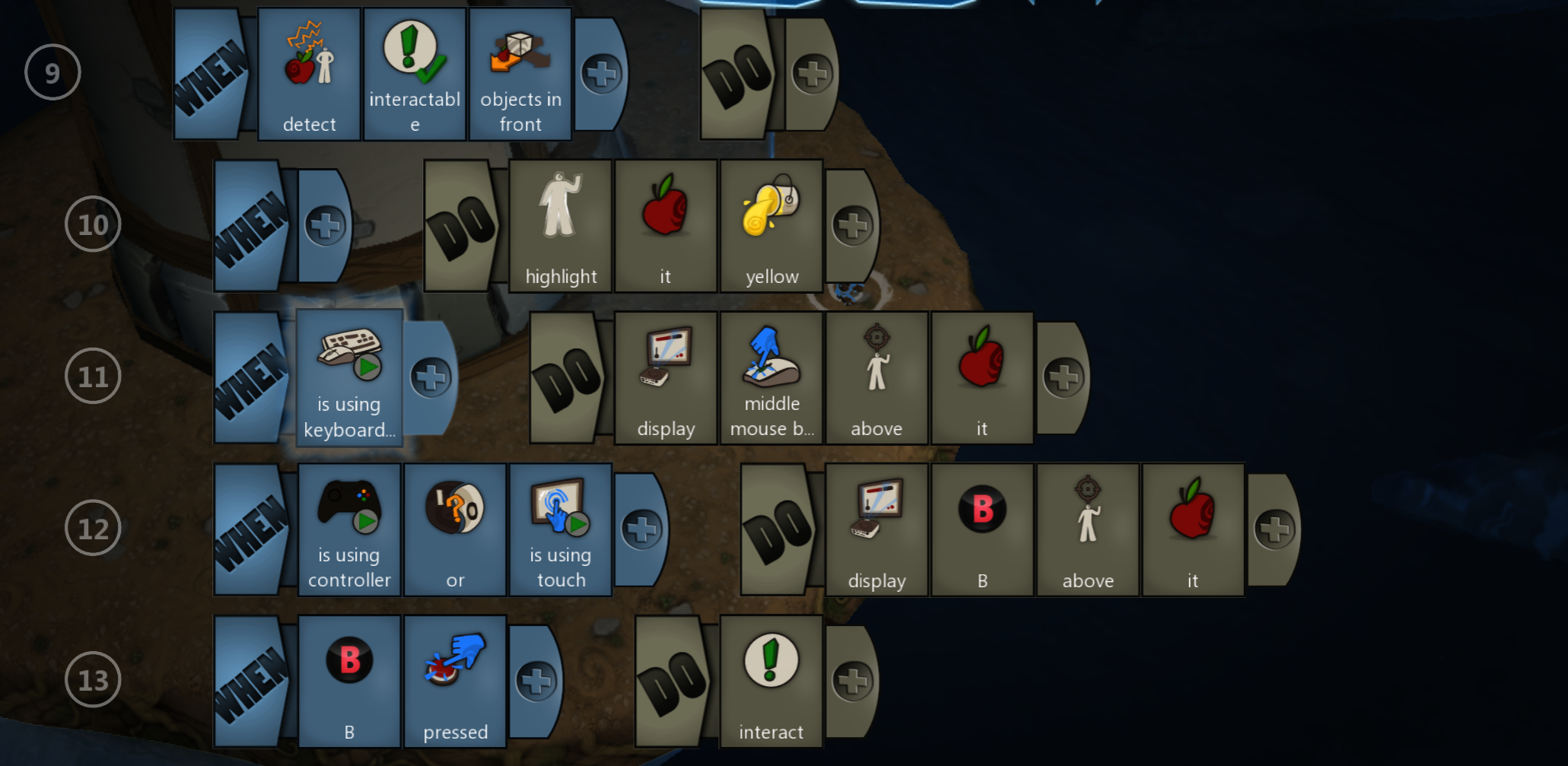
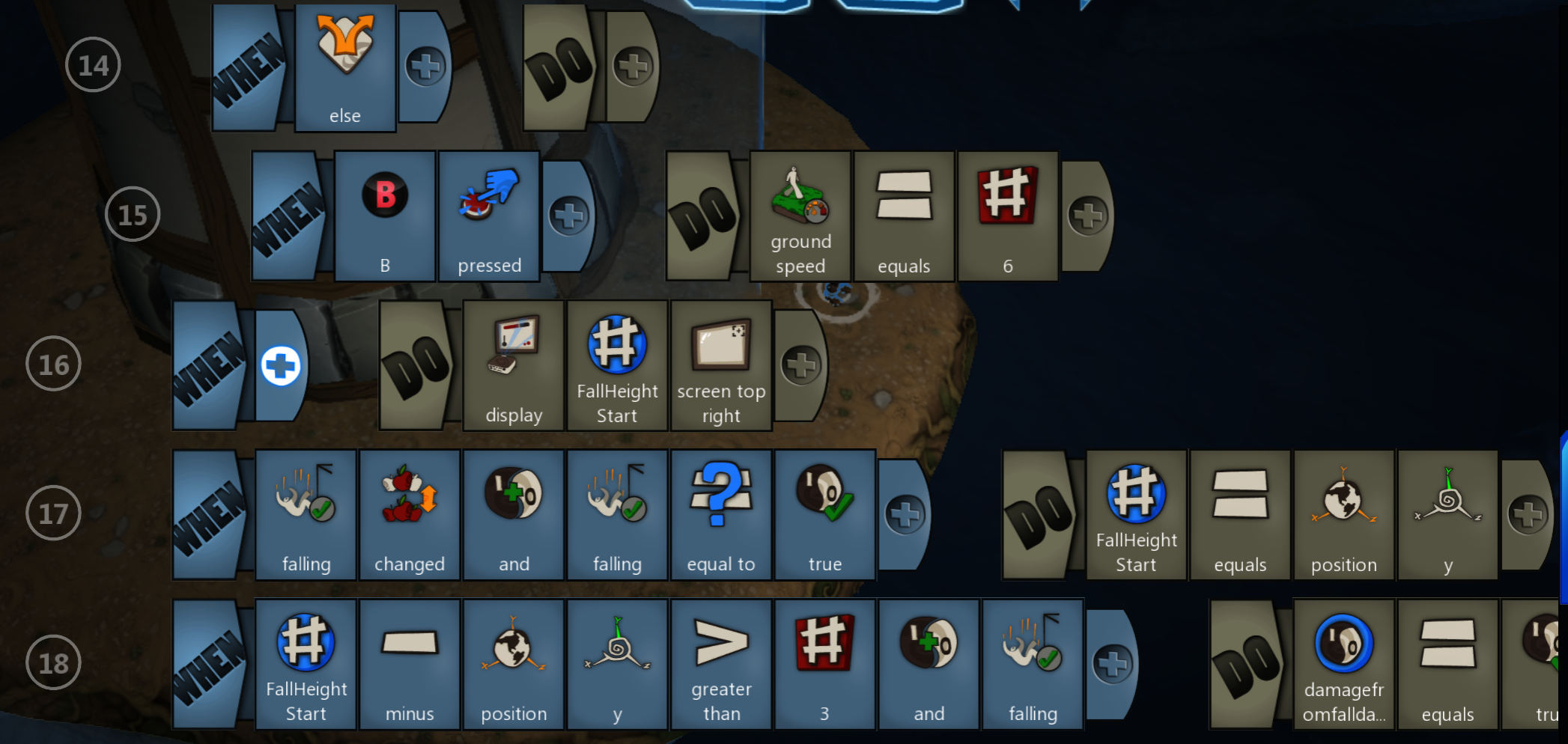
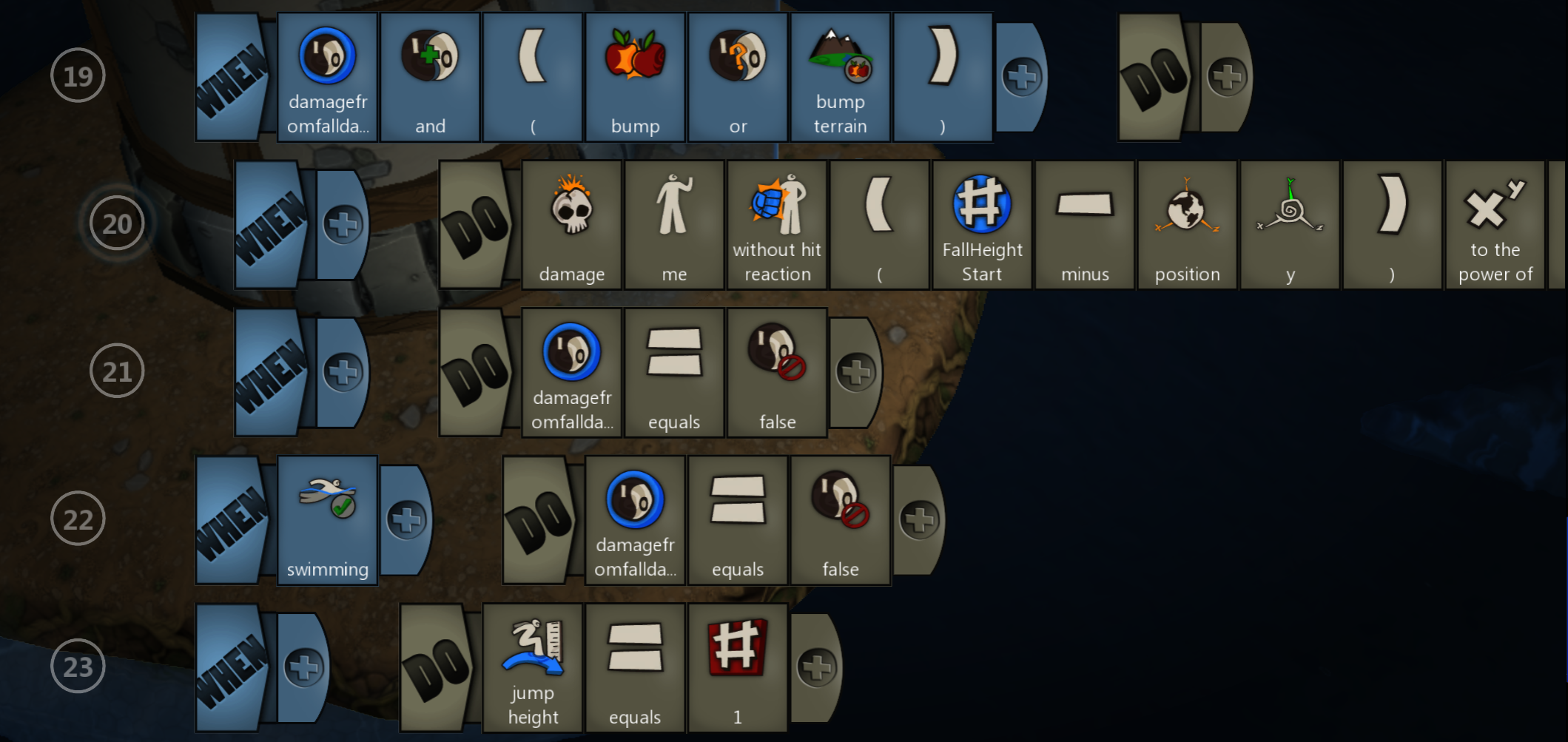
Fall Damage Program
The player moves through the world and takes fall damage relative to the height they fall from. The program behind it looks like this: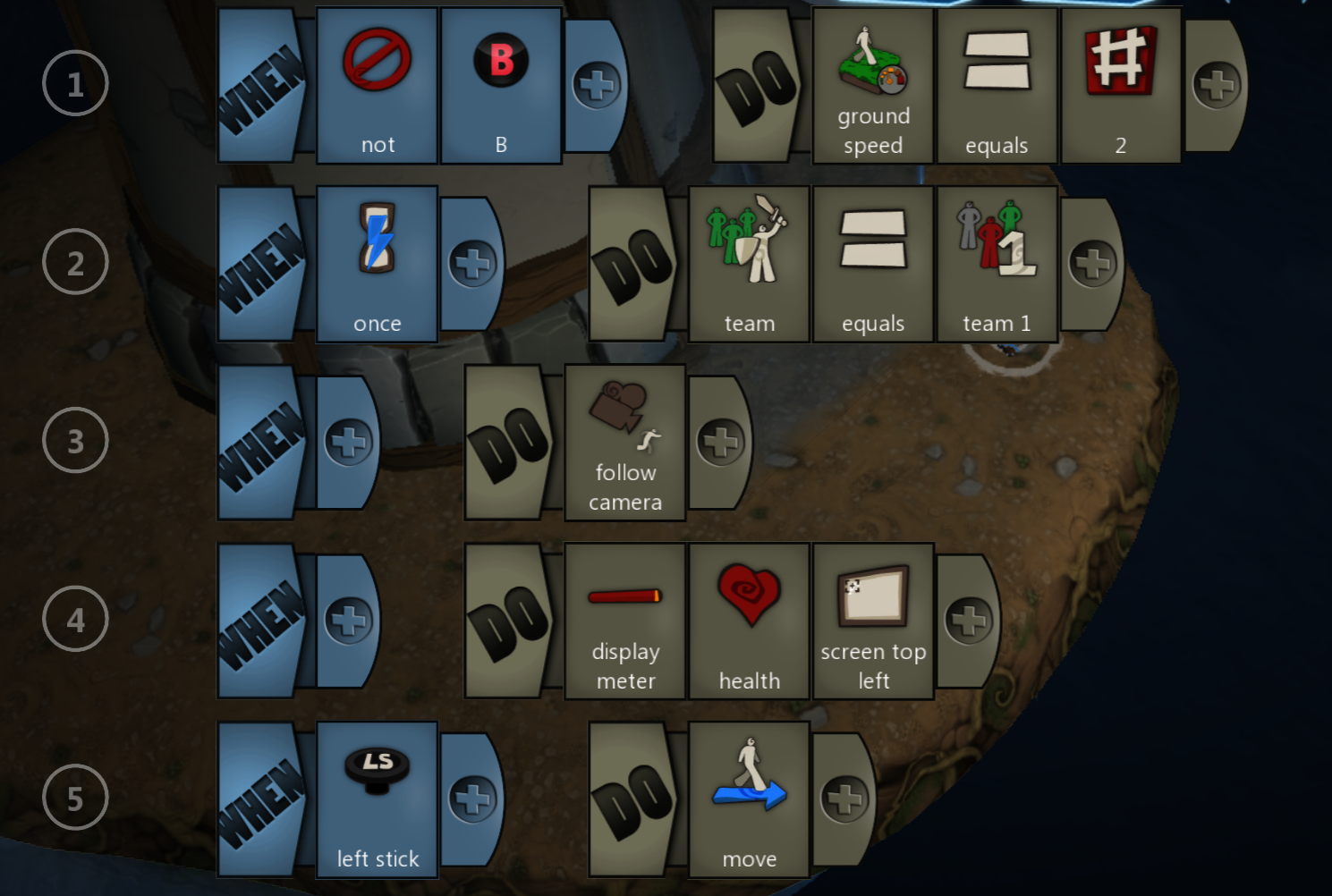

Robot Karol
In Robot Karol, you program a little robot named Karol who moves through a Lego-like world. I first used this program in computer science class, which is probably why I never really liked it. Compared to the other tools, it’s very limited and doesn’t leave much room for creativity. So after finishing the exercises as quickly as possible, I entertained myself by writing overly dramatic class logs instead.
Class Log for Robot Karol
It was a beautiful Thursday morning. Birds were chirping, and the sun shone brightly through the early autumn leaves. A clear blue sky stretched over the peaceful town. Karol woke with a smile on his pixelated robot face and decided, inspired by this completely appropriate opening, to go to the library and read a book. After spending several delightful hours in a big red armchair (which he had first built himself out of red 0.5 blocks), Karol devoured the first volumes of the "Harald Töpfer" series and then faced the task of putting them back into the rather meager library shelf.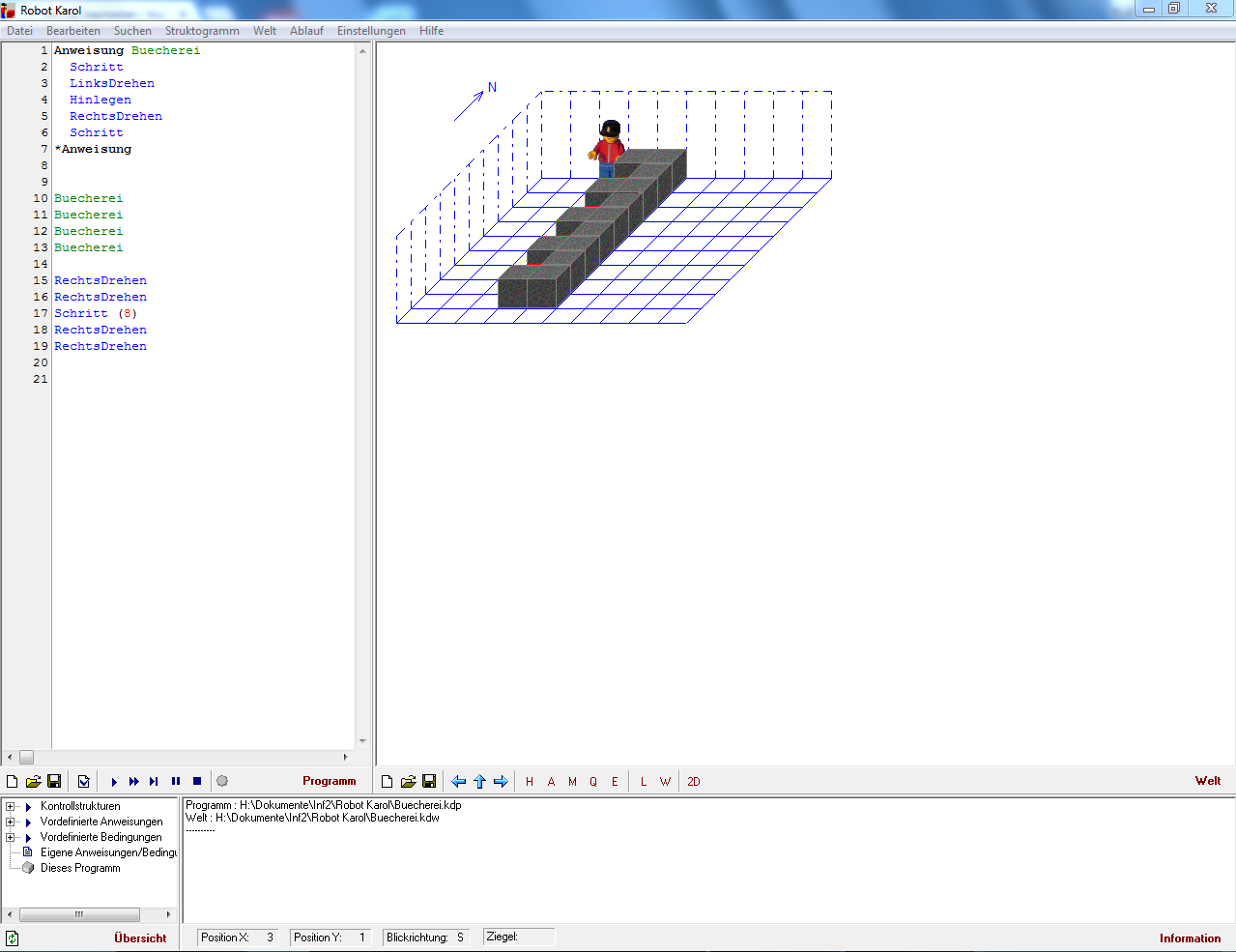 To place a single book on the shelf, you needed the steps in lines 2 to 6 (see the list in “Robot Karol learns to speak”). To make Karol work more efficiently, you could write your own command (lines 1, 7) and call it “Library.” Typing “Library” (e.g., line 10) would then execute everything from lines 1-7. This is called a user-defined command. (In lines 15-19, Karol returns to his starting position.)
Turtle
The Python module turtleis a simple way to draw in Python. A small turtle moves across the screen, leaving a colored trail behind it. It offers an easy transition from kid-friendly tools to "real" programming in Python.
Example
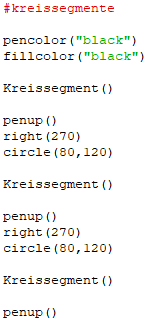
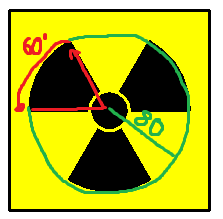
A simple program that draws a radiation symbol looks like this: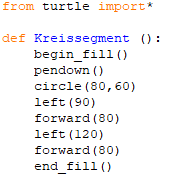
Conclusion
There are many great tools and resources to help children get into programming. Each of the ones presented here has its strengths and weaknesses, but all of them are well suited to teach the fundamentals of coding. Personally, I had the most fun with Project Spark, and it inspired me to start learning game development in Unity.
Comments
Feel free to leave your opinion or questions in the comment section below.