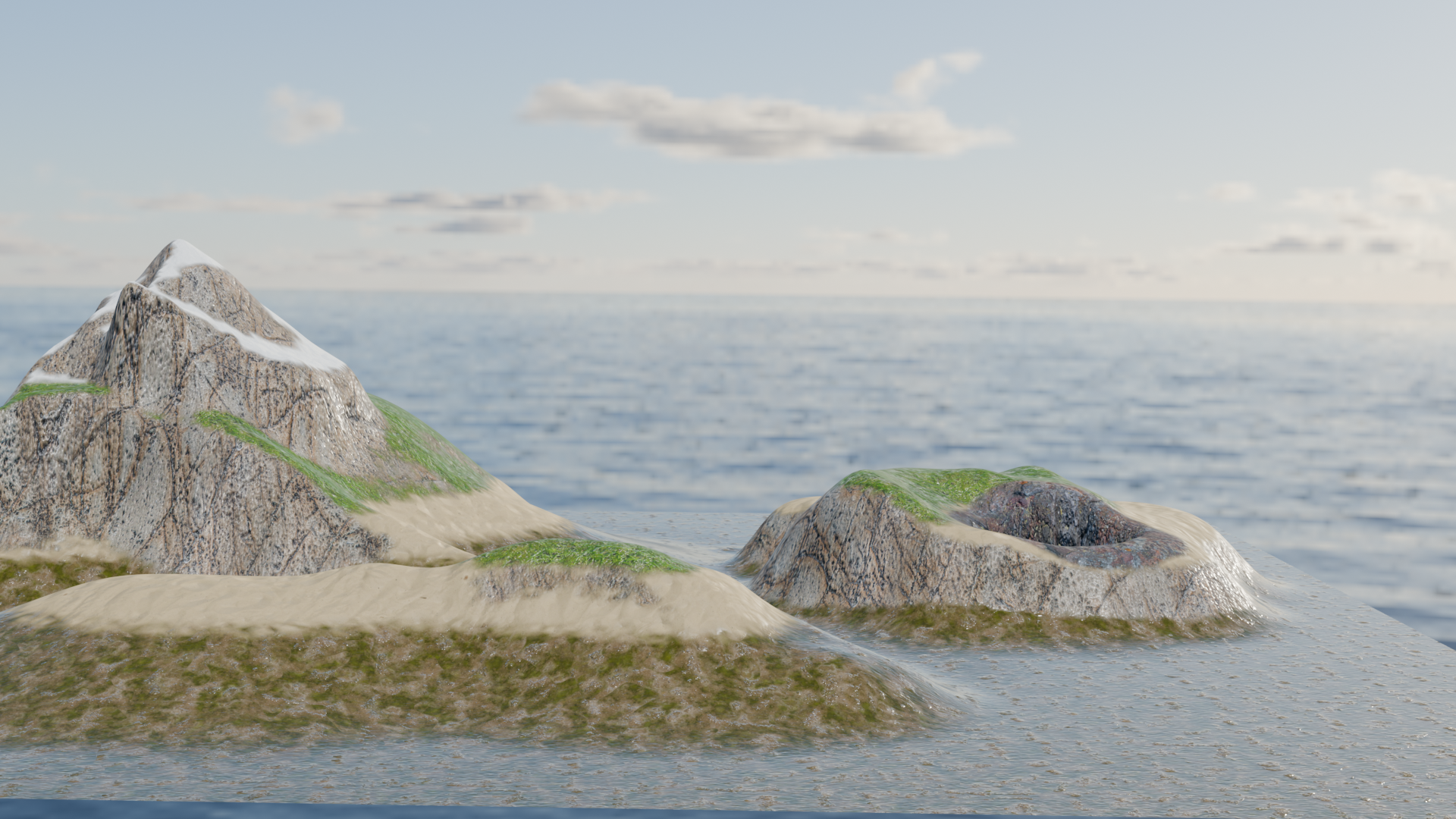
Auto-generating terrain layers in Blender with Python
A Python module to create layered terrain materials with autogenerated masks using Geometry Nodes
When creating 3D games in Unity, I found that I prefer to prepare 3D worlds in Blender first, as it is much more powerful and flexible than Unity's built-in tools, especially for terrain creation. Therefore, I wanted a way to quickly add multiple texture layers to a terrain mesh in Blender. Each layer should have its own mask that defines where the texture is applied. Handpainting these masks would be tedious and not very organic-looking, so masks should be generated automatically based on the terrain's properties, e.g. height or slope. Also, I wanted to make this process as modular as possible, so that I can easily add or remove layers and change their properties.
Generating the layer masks can be easily done with Geometry Nodes and the resulting masks can be exported to be used in Unity later. With Blender's shader nodes, you can also already use the masks and preview how the final terrain will look. However, setting up the geometry nodes and shader nodes for multiple layers can be quite tedious and repetitive. Therefore, I created a Python module that automates this process. The python module `bpy` allows you to create and manipulate Blender objects, including geometry nodes and shader nodes.
Features
The Python module I created allows you to:
- Define as many terrain layers with their own properties as you want.
- Decide how the layer mask for each layer is generated. Options include:
- Height-based masks
- Slope-based masks
- Self-painted masks (using texture painting)
- Blend the layer masks based on the layers' priorities and strengths.
- Apply noise to the masks border regions to create more organic transitions between layers.
- Automatically reuse the noise generation nodes if two layers use the same noise settings for better performance.
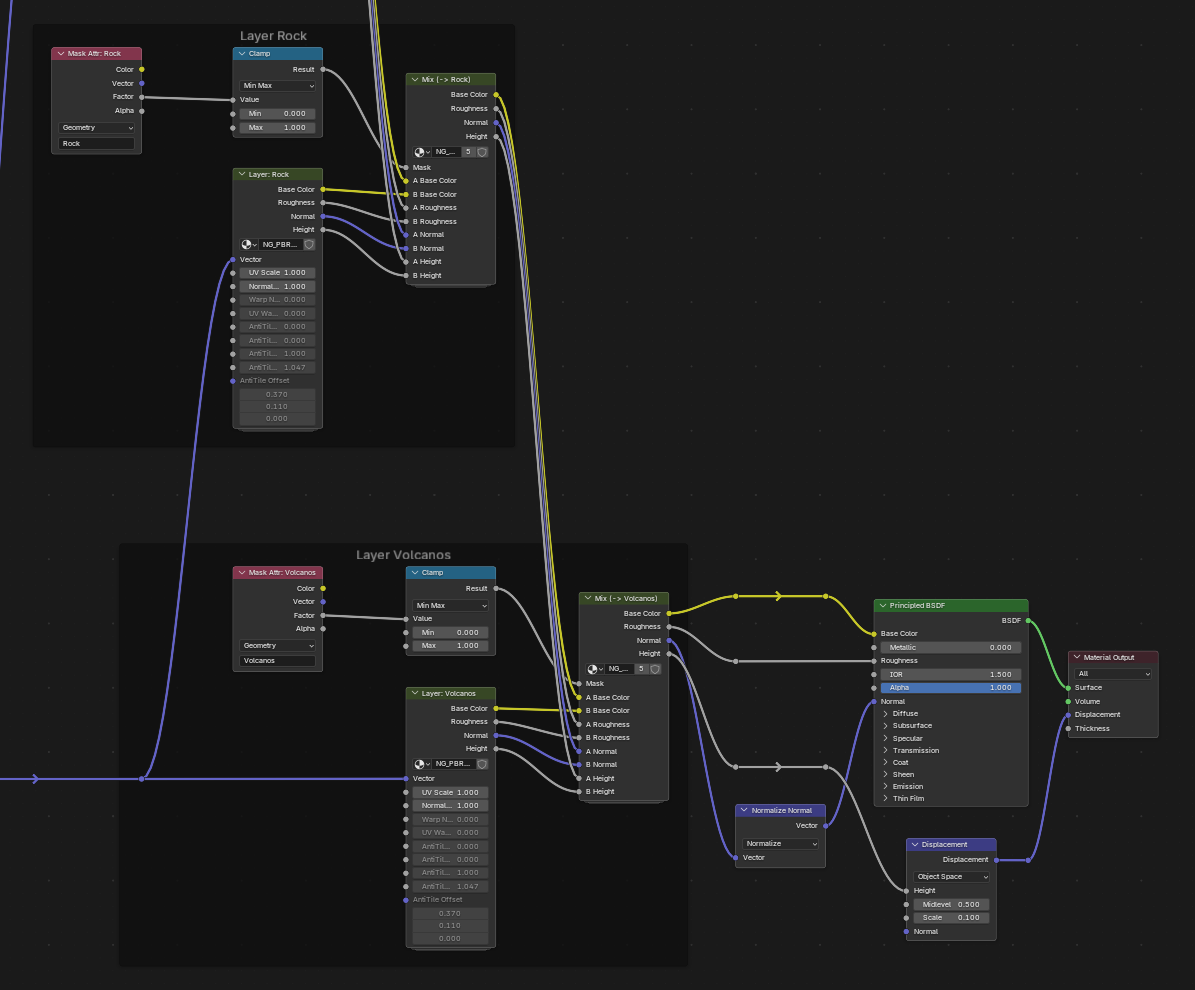
- Generate a shader that uses the generated masks to blend the textures of the layers.
- Blend albedo, roughness, normal and displacement of each texture based on the layer mask and use the resulting maps in a principled BSDF shader.
- Counter tiling effects by warping the UV coordinates of the textures based on noise
- Overlay a second, rotated instance of the base texture to further reduce tiling artifacts
Configuration
The terrain layers can be specified in a simple python dictionary, supported by dataclasses for better structure and type checking. Here is an example configuration:
# Two dual noise configs: default and an alternate for "Rock"
dual_default = DualNoiseConfig(scale=6.0, large_scale=1.5, large_mix=0.35, detail=1.0)
dual_alt = DualNoiseConfig(scale=10.0, large_scale=2.2, large_mix=0.55, detail=0.8)

config = TerrainConfig(
    geometry_modifier_name="Terrain_Layer_Masks",
    layers=[
        # Underwater layer: default layer for everything not covered by other layers
        # Uses uv warping and anti-tiling to improve texture appearance
        Layer(
            name="Underwater",
            priority=0,
            strength=1.0,
            ground_material=GroundMaterial(
                "Muddy ground with underwater moss",
                uv_scale=2.0,
                uv_warp=UVWarpConfig(),
                uv_anti_tiling=UVAntiTilingConfig(),
            ),
        ),
        # Beach layer: sandy areas near the shore
        # Uses height mask with noise to create natural transitions
        Layer(
            name="Beach",
            priority=10,
            strength=1.0,
            mask=HeightMask(
                min_height=1.0,
                max_height=6.5,
                ramp_low=0.35,
                ramp_high=0.55,
            ),
            mask_noise=MaskNoiseConfig(
                dual=dual_default,
                amount=2.0,
                sharpness=1.6,
                bias=0.0,
                zone_width=0.35,
                zone_softness=1.0,
            ),
            ground_material=GroundMaterial("Sand"),
        ),
        # Grass layer: mid-elevation grassy areas
        Layer(
            name="Grass",
            priority=20,
            strength=1.0,
            mask=HeightMask(
                min_height=3.5,
                max_height=8.0,
                ramp_low=0.45,
                ramp_high=0.65,
            ),
            mask_noise=MaskNoiseConfig(
                dual=dual_default,
                amount=1.8,
                sharpness=1.8,
                bias=0.0,
                zone_width=0.5,
                zone_softness=1.0,
            ),
            ground_material=GroundMaterial("Grass"),
        ),
        # Snow layer: high-elevation snowy areas
        Layer(
            name="Snow",
            priority=25,
            strength=1.0,
            mask=HeightMask(
                min_height=11.0,
                max_height=15.0,
                ramp_low=0.45,
                ramp_high=0.65,
            ),
            mask_noise=MaskNoiseConfig(
                dual=dual_default,
                amount=1.2,
                sharpness=2.2,
                bias=0.0,
                zone_width=0.3,
                zone_softness=1.2,
            ),
            ground_material=GroundMaterial("Snow"),
        ),
        # Rock layer: steep slope areas
        Layer(
            name="Rock",
            priority=27,
            strength=1.0,
            mask=SlopeMask(
                min_angle=25.0,
                max_angle=60.0,
                ramp_low=0.4,
                ramp_high=0.6,
            ),
            mask_noise=MaskNoiseConfig(
                dual=dual_alt,
                amount=2.2,
                sharpness=2.0,
                bias=0.0,
                zone_width=0.4,
                zone_softness=1.0,
            ),
            ground_material=GroundMaterial("Rock"),
        ),
        # Volcanos layer: specific areas defined by a paint mask
        Layer(
            name="Volcanos",
            priority=30,
            strength=1.0,
            mask=PaintMask(
                image_name="IMG_Terrain_VolcanosMask",
            ),
            ground_material=GroundMaterial("04 Vulcanic Rock Surface D"),
        ),
    ],
)
Results
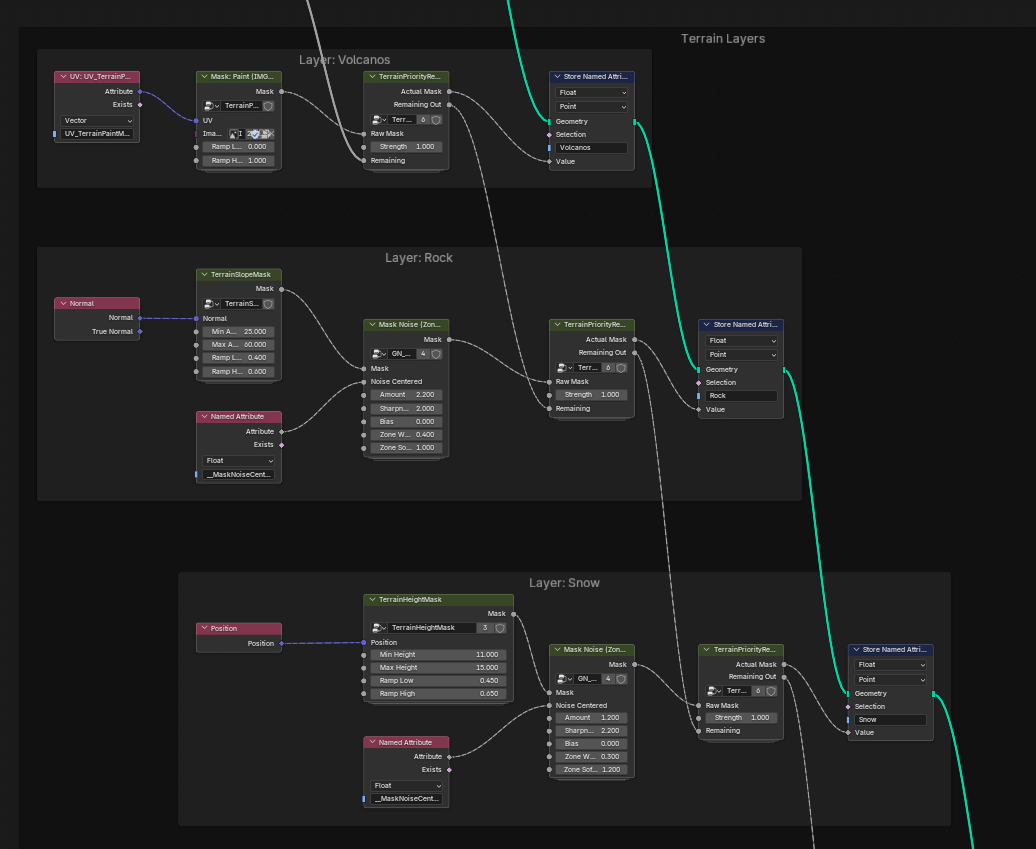
Here are some screenshots of the generated geometry nodes and shader nodes for a terrain with multiple layers:
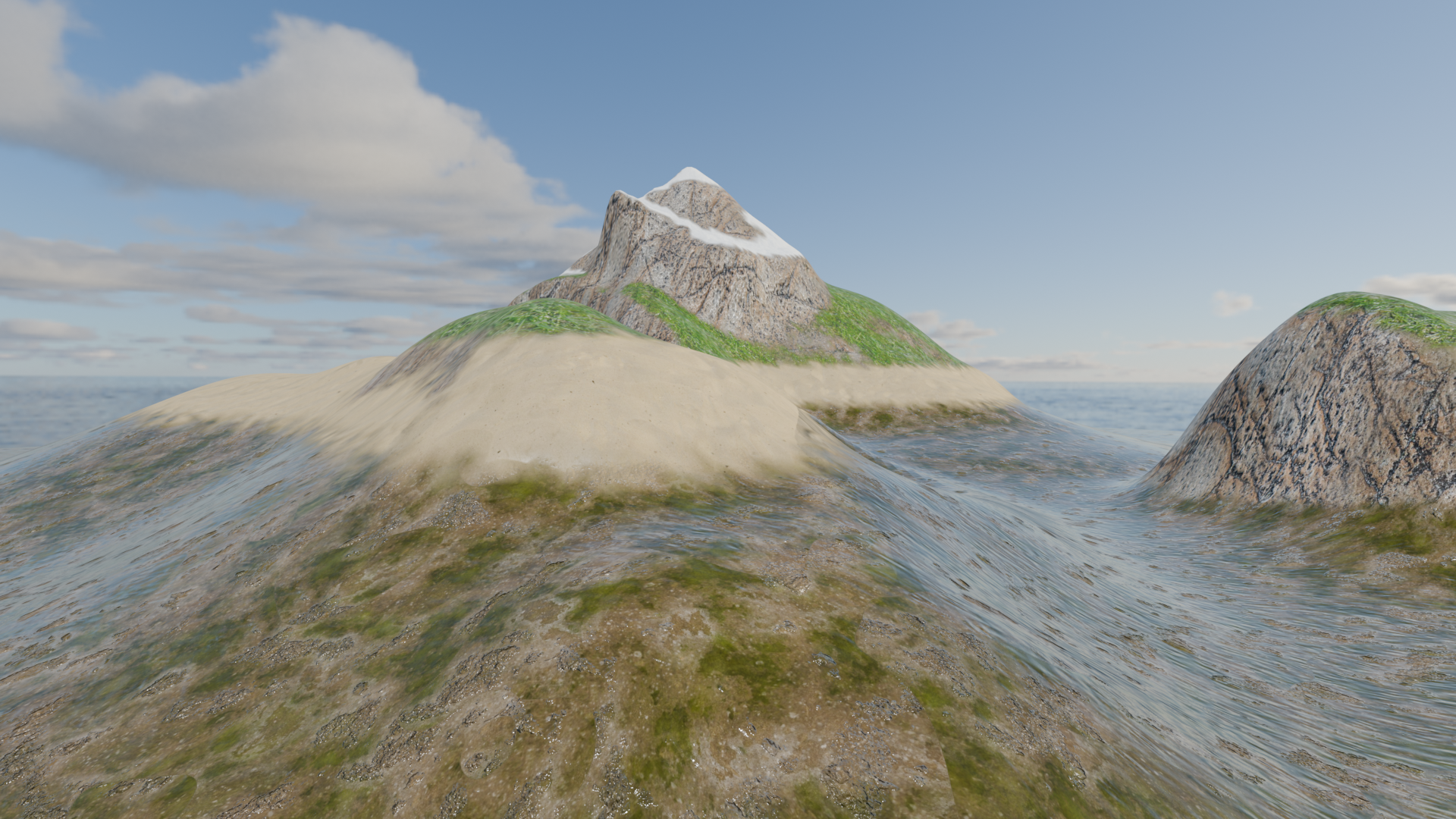
And here are some example renders of the terrain using the generated layers. It only took a few minutes to set up the configuration and run the script, compared to hours of manual work otherwise. (If this was not just a demo, I would have tuned the uv scaling and other parameters further to get a more realistic look.)
Future Plans
Even though the module is quite useful already, there are still some features I would like to add. Because the masks are prebaked, they can also be used for other purposes than just texturing, e.g. for vegetation placement or terrain deformation. This can also be done with Geometry Nodes, so the module could be extended to generate more geometry modifiers based on the layer masks. It is also very possible to create a new mask type for roads and have the geometry nodes generate road meshes along a Bezier path defined in Blender. This would take this project from just a texturing tool to a full terrain generation pipeline, which I would find very useful.
Comments
Feel free to leave your opinion or questions in the comment section below.